
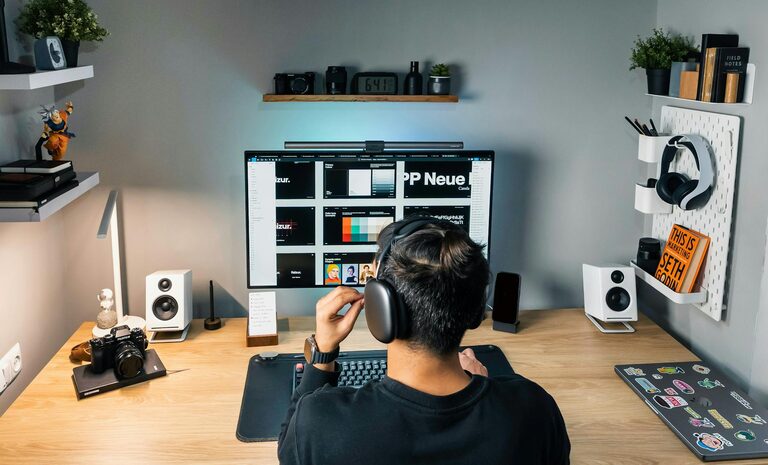
Creating a relaxing home office environment can make a significant difference in your daily productivity and overall well-being. With many people spending hours working from home, it’s important to design a workspace that feels comfortable, organized, and conducive to focus. This post explores practical tips to help you build a home office that not only boosts productivity but also supports relaxation.
Why a Relaxing Home Office Matters
When your home office is cluttered, noisy, or uncomfortable, it’s easy to feel distracted, stressed, or unmotivated. A space that promotes calmness and order can help reduce anxiety and mental fatigue, allowing you to concentrate better and complete tasks more efficiently. Plus, a pleasant workspace encourages you to maintain a healthy work-life balance by clearly defining your work environment.
Choosing the Right Location
Find a Quiet Spot
Select a location in your home away from distractions like the television, kitchen, or busy hallways. Ideally, a separate room or corner where you can close a door will help limit noise and interruptions.
Consider Natural Light
Natural light improves mood and alertness. Position your desk near a window if possible, but avoid glare on your computer screen by using blinds or curtains that let in soft light.
Ergonomics for Comfort and Health
Invest in a Comfortable Chair
A chair with adjustable height and lumbar support helps prevent back pain and fatigue during long hours. Sit so your feet rest flat on the floor and your knees are at a 90-degree angle.
Set Up Your Desk Properly
Place your computer screen at eye level and about an arm’s length away. Keep your keyboard and mouse close to reduce strain on your wrists. A clutter-free desk encourages focus.
Incorporating Relaxing Elements
Choose Calming Colors
Soft, neutral colors such as light blues, greens, or beige create a serene atmosphere. Avoid overly bright or harsh shades that might cause eye strain or agitation.
Add Plants
Indoor plants improve air quality and add a touch of nature. Low-maintenance options like succulents or snake plants brighten your space and have been shown to reduce stress.
Use Aromatherapy
A subtle scent from essential oils like lavender or eucalyptus can promote relaxation and mental clarity. Use a diffuser or scented candle but keep fragrances gentle to avoid distractions.
Organization and Clutter Control
Keep Essentials Handy
Store items you use daily within reach. Use drawer organizers, trays, or small containers to keep pens, paper, and other supplies tidy.
Implement a Filing System
Whether digital or physical, a clear filing system prevents piles of paper and makes finding documents faster. Label folders and keep your workspace free from unnecessary clutter.
Declutter Regularly
Schedule weekly tidying sessions to maintain an orderly space. A clean office supports a clear mind.
Managing Noise and Distractions
Use Noise-Cancelling Headphones
If you can’t control household noise, headphones can help block distractions and improve focus during calls or focused work periods.
Play Background Music or Ambient Sounds
Some people find soft instrumental music or nature sounds helpful for concentration. Experiment to see what helps you stay productive without interrupting your workflow.
Taking Breaks and Moving
Schedule Regular Breaks
Breaks refresh your mind and reduce eye strain. Try the 25-5 rule: work for 25 minutes, then take a 5-minute break to stretch, hydrate, or simply relax.
Incorporate Movement
Use a standing desk or take short walks around your space. Movement increases blood flow and energy.
Personalizing Your Workspace
Adding personal touches can increase your comfort and happiness at work. Display photos, artwork, or inspirational quotes that motivate you. Just be mindful not to overcrowd your desk, maintaining a balance between personalization and simplicity.
Technology Tips
Use Reliable Equipment
Invest in good-quality hardware like a fast computer and high-resolution monitor. Reliable tech reduces frustration related to slow performance or glitches.
Optimize Your Internet Connection
A stable connection supports video calls, cloud storage, and online collaboration without interruptions.
Keep Your Workspace Wired
Avoid tangled cables by organizing or concealing wires with cable management solutions. A neat setup looks professional and minimizes distractions.
—
Creating a relaxing home office environment that supports productivity is about balancing comfort, organization, and your personal preferences. By carefully selecting your workspace location, incorporating calming design elements, and staying organized, you’ll find it easier to focus and enjoy your workday. Remember, the goal is to build a space where you feel at ease and motivated to perform your best.
With these tips, your home office can become a sanctuary of productivity—one that supports both your work and your well-being.